
Digital content plays an important role in online communication, marketing, education, and entertainment. From product photographs to social media videos, visual quality can influence how people understand and respond to information. However, not everyone has access to professional cameras, expensive editing software, or the technical knowledge required to produce polished content. Artificial intelligence is helping bridge this gap by making everyday editing tasks easier and faster.
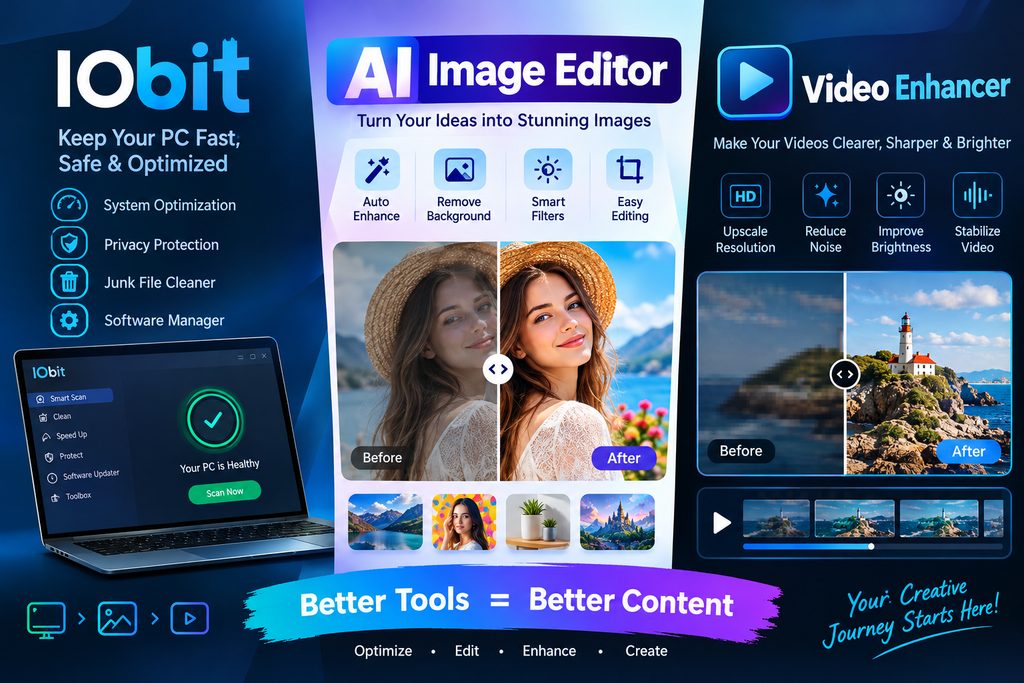
IObit is known for developing software utilities that help users manage and maintain their computers. AI-powered visual tools also offer practical ways to improve digital images and footage without requiring advanced editing skills. By understanding how an AI image editor and a video enhancer work, creators can develop a more efficient approach to producing attractive visual content.
Why Visual Quality Matters in the Digital World
People encounter hundreds of images and videos while browsing websites, watching tutorials, shopping online, and using social media. Clear visuals make information easier to understand and help content appear more organized and professional.
Unfortunately, original media does not always meet these expectations. A photograph might look blurry because of camera movement, while a video may contain digital noise, weak lighting, or compression artifacts. These issues can affect even carefully planned projects.
Traditional editing software provides detailed controls, but learning every feature can take considerable time. AI-assisted tools offer another approach by analyzing media and automatically applying suitable adjustments. Users can then review the results and decide whether additional editing is necessary.
Understanding the Role of IObit in Digital Creativity
Computer performance is an important part of a successful creative workflow. Editing applications may require considerable memory, processing power, and storage space, particularly when handling large images or high-resolution videos.
IObit develops utilities designed to help users manage different aspects of their Windows computers. Maintaining a computer, keeping software updated, and managing unnecessary files can contribute to a more convenient working environment. However, system maintenance and visual enhancement serve different purposes: optimizing a computer does not automatically improve the quality of an image or recording.
For creators, understanding this distinction helps them choose the right solution for each problem. Computer utilities can support the working environment, while dedicated image and video tools address the appearance of visual content.
How an AI Image Editor Can Improve Everyday Photos
An AI image editor uses artificial intelligence to simplify selected image-editing tasks. Rather than requiring users to adjust every setting manually, an AI-powered tool can analyze a photograph and identify areas that may benefit from improvement.
Depending on the tool, these adjustments may include sharpening soft details, reducing visible noise, improving contrast, correcting brightness, or increasing image resolution. Some tools can also assist with removing unwanted objects or making other targeted changes.
These capabilities are useful in several situations.
Online product photography: Small businesses often rely on product images to introduce their merchandise. Clearer photographs can make product details easier to examine and help maintain a consistent appearance across online listings.
Social media content: Creators can improve photographs before using them in posts, stories, banners, or thumbnails. Better clarity and balanced colors can help images look more polished.
Personal photography: Older photographs or pictures captured in difficult lighting conditions may benefit from careful enhancement. AI processing can improve their appearance without requiring extensive manual adjustments.
Marketing materials: Designers can prepare cleaner images for presentations, advertisements, and promotional campaigns while spending less time on repetitive corrections.
The key is to evaluate the final result rather than automatically accepting every adjustment. Excessive sharpening, strong color changes, or aggressive AI reconstruction can make a photograph look unnatural.
Improving Video Quality with AI Technology
Video presents different challenges from still photography because it contains a sequence of moving frames. A problem such as visual noise may appear throughout a recording, while low resolution can make details difficult to recognize on larger displays.
A video enhancer uses image-processing techniques to improve the appearance of existing footage. AI-based solutions may analyze frames individually or across sequences to reduce noise, sharpen details, improve colors, and upscale resolution.
For example, a creator might have recorded a tutorial using an older smartphone. The original footage may be useful, but poor lighting and limited resolution could make it less appealing. Enhancement software can help improve the visible quality before the video is published.
Video enhancement can also support:
- YouTube and social media: Improve the appearance of existing clips before sharing them with an audience.
- Business presentations: Make recorded demonstrations and instructional videos easier to watch.
- Online product demonstrations: Present product features with clearer details and improved visual consistency.
- Personal archives: Give older family recordings a cleaner appearance for modern screens.
- Gaming content: Improve the presentation of recorded gameplay, highlights, and other clips.
Results depend on the original footage and the software being used. Enhancement may reduce visible imperfections, but it cannot always recover details that were never captured by the camera.
A Practical Workflow for Better Images and Videos
Creators can achieve more consistent results by following a simple process instead of applying multiple effects without a clear goal.
Step 1: Identify the Main Problem
Start by examining the original file. Determine whether the primary issue is blur, low resolution, poor lighting, excessive noise, or unbalanced color. Identifying the problem makes it easier to select an appropriate tool.
Step 2: Choose the Right Editing Solution
Use an image-focused tool for photographs and a video-focused tool for moving footage. If computer performance is affecting the editing process, review system resources separately instead of expecting an image editor to solve the underlying problem.
Step 3: Apply Automatic Enhancement
Upload or open the selected file in a suitable tool and use its available enhancement features. Depending on the software, processing may be automatic or may provide additional controls for resolution, sharpness, and color.
Step 4: Compare the Original and Enhanced Versions
Review both versions at a similar display size. Check whether important details remain realistic, skin tones look natural, and textures have not become excessively smooth. For video, watch several sections to ensure that improvements remain consistent across different scenes.
Step 5: Export and Review the Final File
Save the enhanced version using a suitable format and resolution for its intended platform. Check the exported file before publishing it, because compression and resizing can affect the final appearance.
Combining Photo and Video Enhancement for Content Campaigns
A coordinated visual workflow can be especially useful for businesses and content creators who publish different types of media around the same topic.
Imagine an online store preparing a campaign for a new product. The team could begin by improving product photographs with an AI image tool. It could then prepare a short demonstration video and use a video-enhancement solution to improve its clarity and presentation.
Both formats should use consistent colors, lighting, and visual styles. This creates a more unified experience across product pages, social media posts, and promotional materials.
Creators can follow the same approach when producing educational content. An improved cover image, readable screenshots, and clear video footage can make a tutorial easier to follow. The objective is not simply to make every element look sharper but to help the audience understand the information.
Choosing AI Tools Responsibly
Before using any editing solution, consider its supported file formats, output quality, processing requirements, privacy practices, and available features. Some services operate through a browser, while others require desktop software. File-size limits and export options may also differ.
Privacy deserves particular attention when editing confidential business material or personal photographs. Review the provider's privacy policy and understand how uploaded files are handled before submitting sensitive content.
It is also important to remember that AI enhancement does not replace creative judgment. Automated adjustments can save time, but the user remains responsible for checking accuracy, maintaining realistic details, and ensuring that edited media communicates the intended message.
Conclusion
Producing attractive digital content no longer requires mastering every complex editing technique. AI-assisted tools can simplify routine adjustments, improve the appearance of existing media, and help creators spend more time developing ideas.
IObit offers computer utilities that can support a well-maintained digital working environment, while an AI image editor can help refine photographs and a video enhancer can improve the presentation of recorded footage. Each solution serves a different purpose, but together they represent a practical approach to modern content creation.
By identifying the right problem, choosing suitable software, reviewing enhancement results, and exporting files carefully, individuals and businesses can create clearer, more consistent visual content. The best results come from combining useful technology with thoughtful human decisions.