Creating a 3D model used to require specialized software, technical knowledge, and considerable time. For beginners, even turning a simple drawing into a usable digital object could be challenging. For experienced designers, building detailed models and preparing them for production could involve several separate tools. AI-powered 3D creation is changing this process by making it easier to transform visual ideas into three-dimensional assets. Hi3D is designed to simplify this journey, bringing AI-assisted creation, model generation, texture development, and 3D printing preparation together in one platform. Whether users want to create personalized figurines, develop game assets, design product concepts, or make physical objects with a 3D printer, Hi3D offers a more accessible way to move from an initial idea to a finished creation.
What Is Hi3D?
Hi3D is an AI-powered 3D creation platform that functions as a 3D model AI generator, helping users transform text descriptions and images into three-dimensional models.. Instead of building every object manually from scratch, users can begin with an idea, a reference image, or an existing visual concept and let AI handle much of the initial modeling work. The resulting assets can be further refined, exported into supported formats, and prepared for different creative or production workflows.
The platform is designed for a broad audience, including hobbyists, artists, content creators, product designers, and developers. Beginners can experiment with 3D creation without first mastering traditional modeling techniques, while experienced users can use AI-generated assets as starting points for more advanced projects. Hi3D also supports practical workflows beyond digital visualization, including model splitting, multicolor printing preparation, and connections with external slicing software.
One of its main advantages is its integrated approach. Many creative projects require users to switch between image-generation tools, 3D modeling software, texture tools, and printing utilities. Hi3D brings several of these steps together, helping users reduce unnecessary tool switching and spend more time developing their ideas.
Core Features of Hi3D
Hi3D combines several AI-assisted capabilities within one environment. Each feature addresses a different stage of the creative process, from developing an initial concept to producing a model that can be used in digital projects or prepared for physical manufacturing.
Text-to-Image Generation
Every 3D project begins with an idea, but visualizing that idea can be difficult when users do not have drawing skills or suitable reference images. Hi3D's text-to-image functionality helps bridge this gap by turning natural-language descriptions into visual concepts.
Users can describe an object, character, collectible, or decorative item and generate images that illustrate their ideas. Reference images can also guide the process, making it easier to communicate a preferred appearance, style, or subject. Multiple visual variations allow users to explore different directions before deciding which concept to develop further.
For example, someone designing a fantasy character could describe its clothing, hairstyle, accessories, and general appearance. A small business owner might instead create visual concepts for a customized product or promotional item. These images provide a starting point for subsequent 3D generation.
This feature is useful for people who have clear creative ideas but lack the artistic skills needed to illustrate them manually. It also helps designers evaluate concepts earlier, before investing additional time in detailed modeling.
Image-to-3D Model Generation
Image-to-3D generation is one of Hi3D's central capabilities. It allows users to transform a two-dimensional image into a three-dimensional asset without manually constructing every surface and component.
Users can upload an image of an object, character, or design and allow the AI model to interpret its shape, proportions, and visible details. The system then reconstructs a three-dimensional representation, including structural elements that may not be fully visible in the original image. This can make it easier to create digital assets from photographs, illustrations, concept art, and other visual references.
Hi3D also supports multi-view image input, which can provide additional information about an object's appearance from different angles. When suitable front, side, or other reference views are available, they can help communicate the intended structure more clearly than a single image alone.
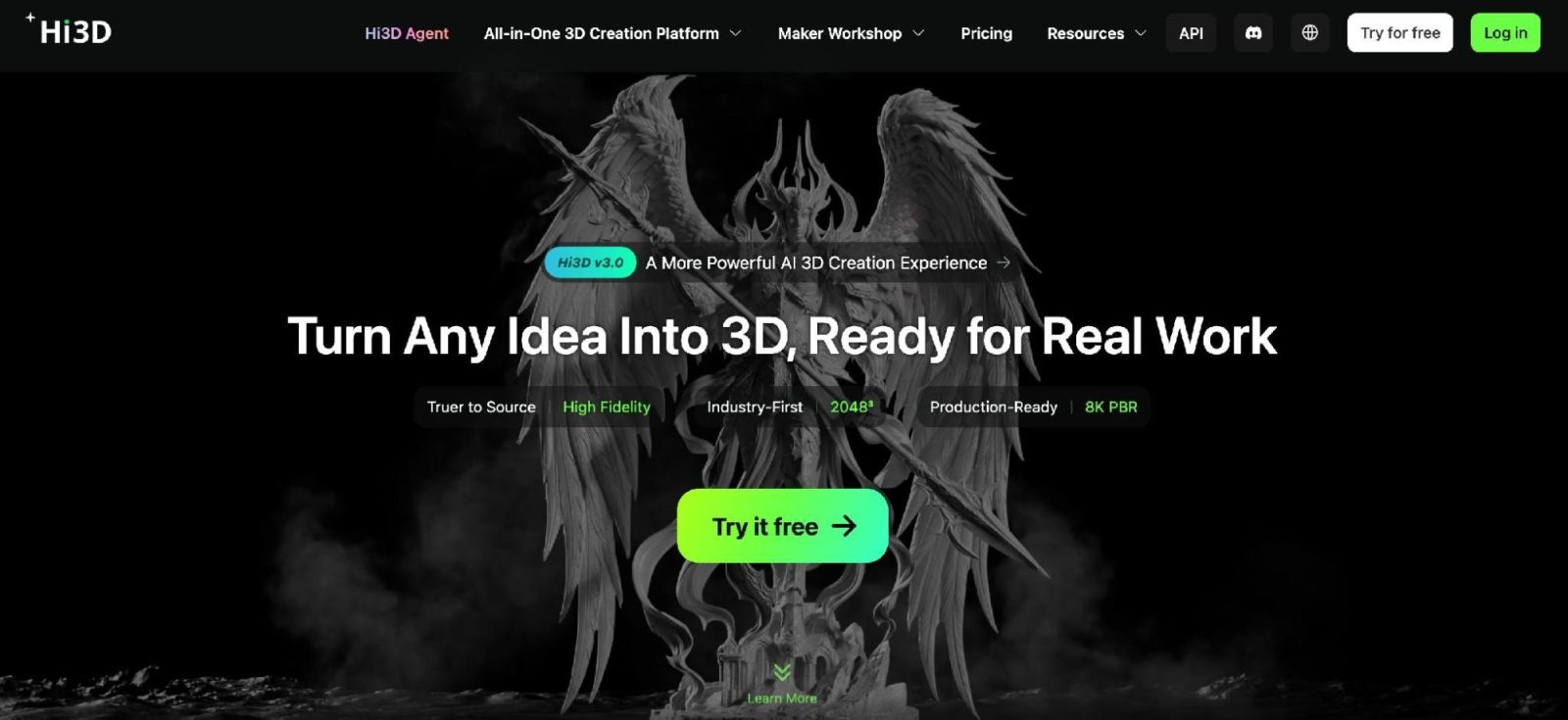
The platform's V3.0 generation experience emphasizes geometric detail, structural completeness, and surface quality. It offers voxel-level geometry at a resolution of up to 2048³ and supports textures of up to 8K, helping users create detailed assets for projects that require closer inspection.
However, the quality of a generated model still depends on the input images, the complexity of the subject, and the intended use. Objects with hidden components, intricate structures, or ambiguous proportions may need additional review or editing. AI generation provides a useful starting point rather than eliminating every need for quality control.
AI-Assisted Texture Creation
Geometry defines the shape of a 3D object, but textures help communicate its appearance. Color, surface patterns, material characteristics, and fine visual details can make a model more recognizable and suitable for its intended purpose.
Hi3D supports workflows that combine geometry generation with texture creation. Depending on the workflow, users can generate geometry first and add textures afterward, or generate geometry and textures together. Geometry-only generation is also available for projects where surface appearance is less important than shape or where materials will be developed separately.
For more demanding visual applications, physically based rendering (PBR) provides a way to represent material properties more realistically. PBR-related options can help users prepare assets for workflows where the interaction between surfaces and lighting matters.
Stylized texture creation is particularly useful for artists who want to explore different visual directions. A simple model can be adapted to fit a cartoon-inspired scene, a fantasy environment, or a more realistic presentation. Rather than rebuilding the underlying object for every variation, users can focus on how its appearance supports the overall design.
Texture quality should still be evaluated in the context of the final application. A model intended for a game, a rendered product image, and a physical 3D print may require different material settings and preparation steps.
Split-to-Print for Complex Models
A model that looks impressive on screen is not necessarily easy to print. Large objects may exceed a printer's build volume, while complex shapes can create difficulties during production and assembly. For users wondering how to split 3D model for printing, Hi3D's Split-to-Print feature addresses these challenges by dividing a model into separate printable parts.
The tool can automatically separate suitable models into components and generate connecting structures that help users assemble the printed pieces afterward. It also supports print-oriented arrangement, helping prepare the separated parts for the next stage of the workflow.
This capability is valuable for people creating large figurines, cosplay accessories, decorative sculptures, and other objects that cannot easily be printed as one piece. Instead of manually cutting a model and designing every connection, users can begin with automated splitting and then review the result.
For example, a large fantasy prop might need to be divided into several sections to fit a desktop printer. Once the sections have been printed, connectors can help align the pieces during assembly. A similar workflow can be useful for display figures with complex shapes or oversized decorative objects.
Nevertheless, users should inspect the split boundaries, connector strength, tolerances, and assembly requirements before printing. Different printers and materials behave differently, so some projects may require adjustments to achieve a reliable physical result.
Multi-Color Printing Preparation
Color can significantly affect the appearance of a physical model. A character with differently colored clothing, a decorative sign with contrasting text, or a miniature with several distinct visual elements may look less appealing when printed in a single color.
Hi3D's Multi-Color Printing feature helps prepare models for multicolor production by identifying color regions and their boundaries. It can separate suitable areas and assist with filament matching, making it easier to move from a visually detailed model toward a multicolor printing workflow.
This feature can be especially useful for personalized gifts, collectibles, small toys, and decorative objects. For example, a user creating a character figurine may want different colors for the hair, clothing, and accessories. Automated color separation can reduce the amount of manual preparation needed to organize these regions.
The feature is intended to simplify preparation, not guarantee that every model will print perfectly without adjustment. Users should check the selected printer's multicolor capabilities, available filaments, color transitions, and slicing settings. Small details and narrow color boundaries may need special attention to ensure the final print matches the intended design.
From Digital Creation to Physical Printing
A major distinction between Hi3D and a basic AI model generator is its focus on what happens after a model has been created. The platform helps users move from digital assets toward physical production, whether they own a 3D printer or need another way to obtain a finished object.
Model Optimization and Export
Before printing, a model generally needs to be checked and prepared for the target workflow. Hi3D provides print-oriented preparation features, including smart arrangement and model optimization, to help users organize assets before exporting them or sending them to slicing software.
The platform supports several commonly used file formats, including STL, OBJ, 3MF, GLB, and USDZ. These formats serve different purposes across 3D printing, digital visualization, and asset exchange. STL and 3MF are relevant to printing workflows, while OBJ and GLB can be useful for transferring geometry and visual assets between compatible applications. USDZ supports certain augmented reality and 3D viewing workflows.
This format flexibility allows users to choose an appropriate output for their next step instead of being restricted to one file type. It also makes the generated assets easier to incorporate into broader creative projects.
Hi3D can connect with established slicing workflows, including compatible software used with printers from manufacturers such as Bambu Lab, Creality, and Elegoo. Users can continue using their preferred tools to configure printing parameters and review the model before production.
Exporting a model does not automatically make it suitable for every printer. Wall thickness, overhangs, supports, orientation, material properties, and dimensional accuracy still matter. Reviewing the model in the intended slicer is an important part of preparing a successful print.
Printing and Home Delivery
Not everyone who wants to create a 3D object owns a printer. Buying equipment, learning how to use it, and maintaining it can be impractical for occasional projects or people who simply want a personalized item.
Hi3D offers a printing and delivery option that helps address this barrier. Users can select a model, choose available material and size options, and arrange for the object to be printed and delivered. This creates a more direct path from digital creation to a physical product.
The service can be useful for someone who wants a personalized figurine, a decorative item, or a gift based on an original idea but does not want to manage the printing process independently. It may also help creators evaluate physical versions of their designs without immediately investing in their own printing equipment.
For people who already own printers, the export and slicing workflow remains useful. For those without printers, the printing service provides an alternative route to obtaining a finished object. Together, these options make the platform relevant to users with different levels of equipment and technical experience.
Practical Applications of Hi3D
AI-generated 3D assets can support many types of projects. Because Hi3D combines model generation with tools for further preparation, its potential applications extend beyond creating attractive digital images.
Personalized Gifts and Collectibles
Personalized products are a natural application for AI-assisted 3D creation. Users can turn photographs, character concepts, or original ideas into models for figurines, desk decorations, keepsakes, and collectibles.
For example, a pet owner might want a small figure inspired by a favorite animal, while someone preparing a birthday gift could create a character based on the recipient's interests. Hobbyists can also experiment with miniature scenes and display pieces.
Image-to-3D generation helps establish the basic shape, while texture tools and printing preparation support the transition toward a finished object. The ability to arrange printing and delivery can be particularly convenient for users who do not own printers.
Toys and Creative Projects
Hobbyists and families can use AI-assisted modeling to explore original toys, miniature accessories, simple decorative objects, and creative learning projects. Children can participate in the idea-generation stage with adult supervision, while adults handle model review, printer operation, and material selection.
The practical suitability of a toy depends on its design and intended age group. Small detachable components, sharp edges, fragile connectors, and material safety all require attention. AI-generated designs should be inspected carefully before being used as toys, particularly for young children.
Cosplay Props and Decorative Models
Cosplay enthusiasts often need customized accessories, masks, armor components, and fantasy-inspired props that are difficult to find commercially. Hi3D can help turn reference images and original concepts into three-dimensional starting points.
Split-to-Print is particularly relevant when a prop is too large for a printer's build area. Dividing the model into printable sections can make production more manageable, while connectors help with later assembly. Texture and multicolor preparation can further support the desired appearance.
The resulting parts may still require sanding, painting, fitting, and reinforcement. Users should also consider weight, durability, comfort, and safe handling when making wearable or handheld props.
Game Development and Digital Content
Game developers and digital artists can use AI-generated models as starting points for characters, props, environmental objects, and concept exploration. Creating an initial model more quickly can help teams test visual directions before committing to detailed manual production.
The value of these assets depends on the project's technical requirements. Real-time applications may require retopology, polygon optimization, UV adjustments, rigging, or other preparation. Hi3D's supported export formats can facilitate transfer into compatible software, but additional work may be necessary before an asset is ready for a production game.
Content creators can also use 3D assets in animations, promotional materials, virtual scenes, and visual storytelling projects. In these situations, the platform serves as a way to accelerate early-stage creation while leaving room for professional refinement.
Product Design and Education
Product designers can explore shapes, visualize concepts, and create preliminary models before developing more detailed designs. Small businesses may find this useful when testing visual ideas for accessories, packaging-related objects, or decorative products.
In education, AI-assisted 3D creation can help learners understand the relationship between two-dimensional images, three-dimensional geometry, and physical objects. Teachers can use generated models to introduce spatial reasoning, digital design, and basic manufacturing concepts.
These applications should be distinguished from fully validated engineering workflows. Products requiring precise dimensions, load-bearing strength, or regulatory compliance need appropriate CAD work, measurement, simulation, and physical testing.
Hi3D for Developers and Businesses
In addition to its creative interface, Hi3D provides API capabilities for developers and organizations that want to incorporate AI-powered 3D generation into their own products. Rather than requiring every user to work directly within a separate creation platform, API integration can make 3D functionality part of an existing application or service.
Supported capabilities include image-to-3D generation, multi-view-to-3D generation, 3D relief generation, model splitting, and multicolor model preparation. Depending on the operation and selected generation mode, developers can work with geometry-only outputs, staged geometry-and-texture generation, or combined generation.
These capabilities may support e-commerce tools, creative applications, digital content platforms, educational products, and services connected to 3D printing. For instance, an application could allow customers to submit an image and generate a three-dimensional asset as part of a broader customization experience.
Developers should review the API documentation for supported model versions, parameters, output formats, usage requirements, and integration details before selecting a workflow. The appropriate configuration will depend on whether an application prioritizes visual fidelity, generation speed, geometry, textures, or print-oriented outputs.
For businesses, the potential benefit is a more direct way to incorporate 3D creation into an existing customer journey. For individual creators, the web-based platform offers a way to explore AI-assisted modeling without building a custom technical pipeline.
Getting Started with Hi3D
Getting started with Hi3D does not require users to begin with a complicated modeling project. A straightforward approach is to choose a clear subject, prepare a suitable reference image or text description, and generate an initial model. Users can then evaluate the shape and details, explore available texture options, and decide whether further refinement is needed.
For a digital project, the next step may simply be exporting the model into a compatible format. For a physical object, users should review the geometry, choose an appropriate printing workflow, and check the model in slicing software. Larger designs may benefit from splitting, while colorful designs may require multicolor preparation.
It is also helpful to define the intended use before generation. A collectible figurine, a game character, and a functional product component have different requirements. Choosing suitable inputs and reviewing the results against the final purpose can reduce unnecessary iterations.
Hi3D brings several stages of this process into one environment, making AI-assisted 3D creation more accessible to beginners while providing useful capabilities for experienced creators and developers. By connecting idea development, model generation, texture workflows, printing preparation, and optional physical production, it offers a practical starting point for turning creative concepts into usable three-dimensional assets.